Play Orchard Tile Match Online
Orchard Tile Match is a tile matching game online with a seven-space tray and illustrated fruit tiles. Take exposed tiles and make sets of three identical fruits. Every level adds another triple, building from eighteen tiles to seventy-five across deeper stacks.
How to play Orchard Tile Match online
- Choose an exposed tile; covered tiles must wait.
- Collect three of the same fruit to clear them from the tray.
- Clear every tile before the seven tray spaces fill without a match.
Controls
Tap tiles, or use Previous, Next and Take tile. Undo reverses the last move during a running attempt. Hint searches for a safe next move; the search has a limit.
A tip before you start
Count your open tray spaces before taking a new fruit. Finishing a triple frees room and may expose useful tiles beneath it.
Use the seventh tray space to complete a triple
Consider a tray with six tiles: two of fruit A, two of fruit B and two of fruit C. Only one space remains.
- Look for an exposed tile matching one of those three pairs before choosing a new fruit.
- Taking a third A briefly completes the set, removes all three A tiles and leaves four tiles in the tray.
- Taking a different fruit D leaves seven tiles without a triple and ends the attempt.
- Check which tiles a move uncovers as well as the immediate match. A covered matching tile cannot be taken yet.
| Tray before the move | Exposed tile taken | Result |
|---|---|---|
| A A B B C C | A | B B C C — four tiles remain |
| A A B B C C | D | Seven tiles without a triple — attempt ends |
A, B, C and D stand for different fruit pictures. This example explains the tray rule; your board may show those pictures in a different order.
Plan through the layers
Tile matching puzzle games combine matching with order. Taking a fruit also reveals the tile below, so a tempting match is useful only if it leaves enough room for the next moves. Later challenges add more pieces, deeper stacks and additional fruit types.
A quick browser session
For players looking for free online tile matching games, all twenty boards are available through earned level unlocks. There is no download, account requirement or timer. Free matching tile games can still punish rushed choices: a full tray ends the attempt, and Restart lets you try a new route.
Frequently asked questions
Can I play this tile match game online free?
Yes. This is a free tile matching game, with all twenty levels and no ads.
Is this a mahjong game?
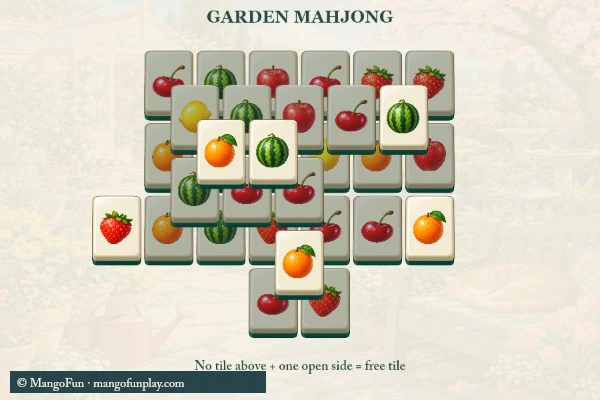
No. This board matches three fruit tiles through a tray. It does not use the paired-tile removal rules of mahjong solitaire.
How is progress saved?
Completed levels, unlocked challenges, best scores and the sound setting are saved in this browser when local storage is available. An unfinished board starts over when you reload. Restart asks for confirmation, and does not erase unlocked levels.
Can I play on a phone or computer?
Use the illustrated board with a mouse or touch, or use the labeled action buttons with a keyboard. The game frame fits the available screen; Help opens separately. Full screen is available where the browser permits it.
Can I choose a seventh tile if it makes a match?
Yes. Matching is resolved before the full-tray failure check. A third matching fruit clears its triple; a seventh tile that makes no triple ends the attempt.
About Orchard Tile Match
Orchard Tile Match is a tile matching game online with a seven-space tray and illustrated fruit tiles. Take exposed tiles and make sets of three identical fruits. Every level adds another triple, building from eighteen tiles to seventy-five across deeper stacks.
Play this puzzle / casual game in the embedded browser player. No app installation or MangoFun account is required. Follow the instructions shown inside the game; controls and device support depend on the title.